
Ruby 3.2.0 Is From Another Dimension — and it shows! This version of Ruby is packed with amazing features and upgrades that make it even faster, stronger, and more versatile than ever before. Highlights include improved memory usage, better parallelization, updated Google V8 JavaScript engine support, language-level JIT compiler, and improved threading efficiency. All these combined improvements have taken this powerful programming language to the next level! Enhanced JIT compiler Enhanced type inference Pattern matching Pattern matching is a powerful and flexible way to match data structures and extract values from them. It is a feature that is commonly found in functional programming languages, and it is now available in Ruby 3.2.0. One of the main benefits of pattern matching is that it allows you to write concise and expressive code, especially when working with complex data structures. For example, consider the following code, which uses pattern matching to extract the first and last names from a list of people: This code will output the first and last names of each person in the list, separated by a space. Notice how pattern matching allows us to easily extract the values we want without having to use explicit variable assignments or restructuring. Frozen string literals Other Improvements Ruby 3.2.0 includes a number of other improvements in addition to the major features discussed above. Here are a few of the other notable improvements in Ruby 3.2.0: If you like this post then you may also like to share the same with your colleagues. Let us know your thoughts on our blogs and on social media posts on Instagram, Facebook, LinkedIn, and Twitter. You may also like to see: Agile and Waterfall: Comparing Two Popular Approaches to Software Development
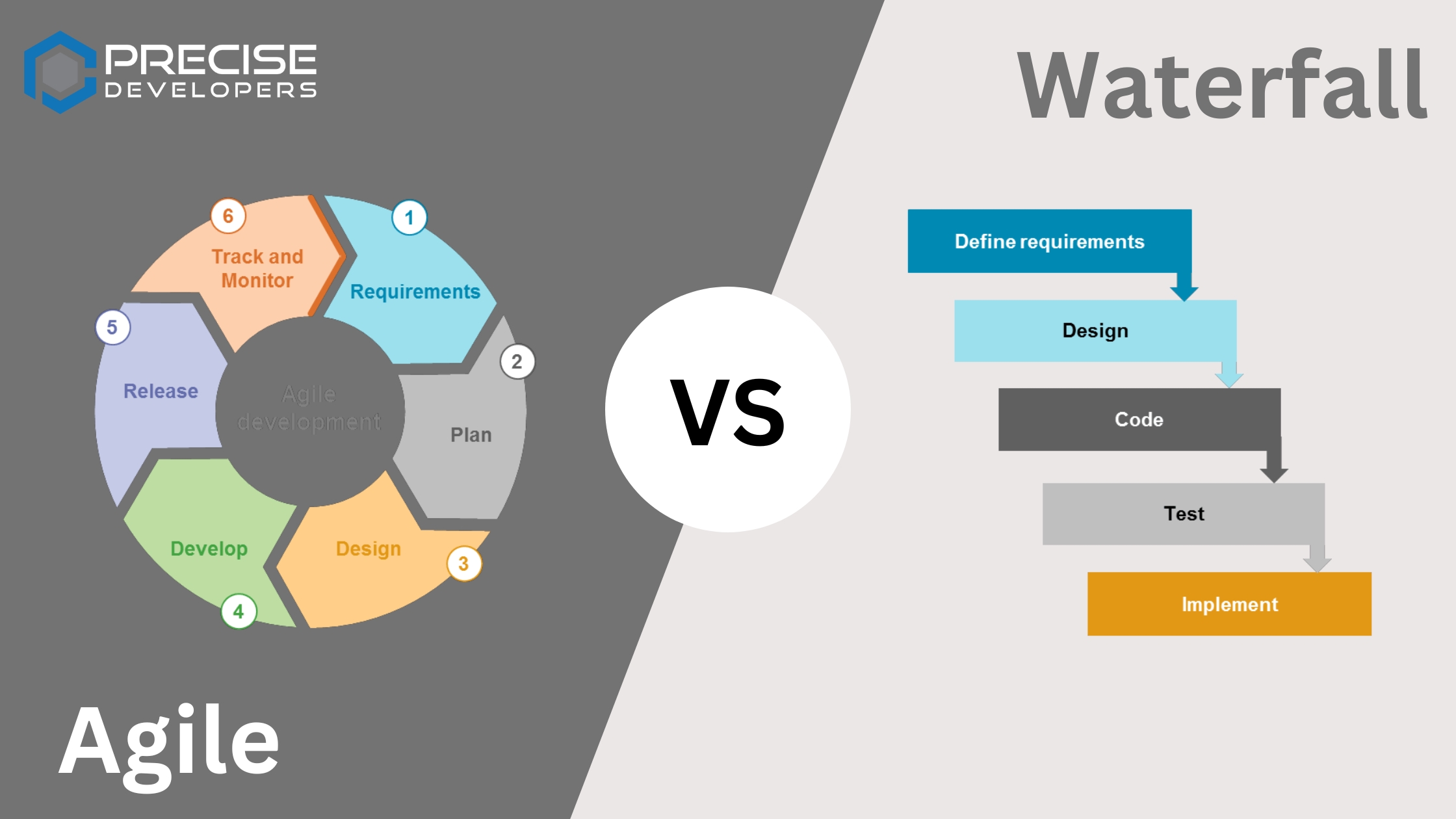
Agile and Waterfall!! When it comes to software development, there are many different approaches and methodologies that teams can use to plan, design, and build software products. Two of the most popular methodologies are Agile and Waterfall. Agile and Waterfall Agile is a flexible, iterative approach to software development that emphasizes adaptability and the ability to quickly respond to change. Agile methodologies, such as Scrum and Extreme Programming, focus on delivering small increments of working software regularly and involve close collaboration between the development team and the customer. Waterfall, on the other hand, is a more structured and linear approach to software development. In the Waterfall model, development is broken down into distinct phases, and progress flows in one direction, like a waterfall. The Waterfall model is often associated with more traditional, large-scale software development projects, and is known for its predictability and clear roles and responsibilities. In this blog, we’ll delve into the key differences between Agile and Waterfall, and explore the pros and cons of each approach. We’ll also discuss when it might be appropriate to use one approach over the other, and how Agile and Waterfall can be combined or adapted to fit the needs of a specific project or team. Agile software development: Agile is a set of values and principles for software development outlined in the Agile Manifesto. The Agile Manifesto emphasizes the following values: These values are reflected in various Agile methodologies, such as Scrum, Lean, and Extreme Programming. Scrum is a popular Agile methodology that is widely used in software development and other fields. It is based on the idea of “sprints,” or short, focused periods of work during which a specific set of tasks is completed. At the end of each sprint, the team demonstrates the working software they have produced and adjusts their plan for the next sprint based on feedback from the customer. Lean is another Agile methodology that is based on the principles of the Toyota Production System. It emphasizes continuous improvement, waste reduction, and the delivery of value to the customer. Extreme Programming (XP) is an Agile methodology that is focused on delivering high-quality software through collaboration, communication, and frequent feedback. It involves practices such as pair programming, in which two developers work together on the same piece of code, and continuous integration, in which code is regularly integrated and tested to identify and fix issues early on. Pros of using Agile: 👍 There are several benefits to using an Agile approach to software development: Cons of using Agile: 👎 There are also some potential drawbacks to using an Agile approach: Waterfall software development: The Waterfall model is a traditional, linear approach to software development. It is based on the idea of completing one phase of the project before moving on to the next. The phases of the Waterfall model typically include: In the Waterfall model, progress flows in one direction, like a waterfall, and there is little overlap between the phases. This can make it more difficult to go back and make changes once a phase has been completed. Pros of using Waterfall: 👍 Cons of using Waterfall: 👎 When to use Agile or Waterfall: There is no one-size-fits-all approach to software development, and the right methodology will depend on the specific needs and constraints of the project. Some factors to consider when deciding between Agile and Waterfall include: Hire a team of experts: https://precisedevelopers.com/hire-mern-stack-developer/ If you like this post let us know what would you want us to post next in the comment section also help this post reach more and more people via our social media accounts on Instagram, Facebook, Twitter, and LinkedIn.
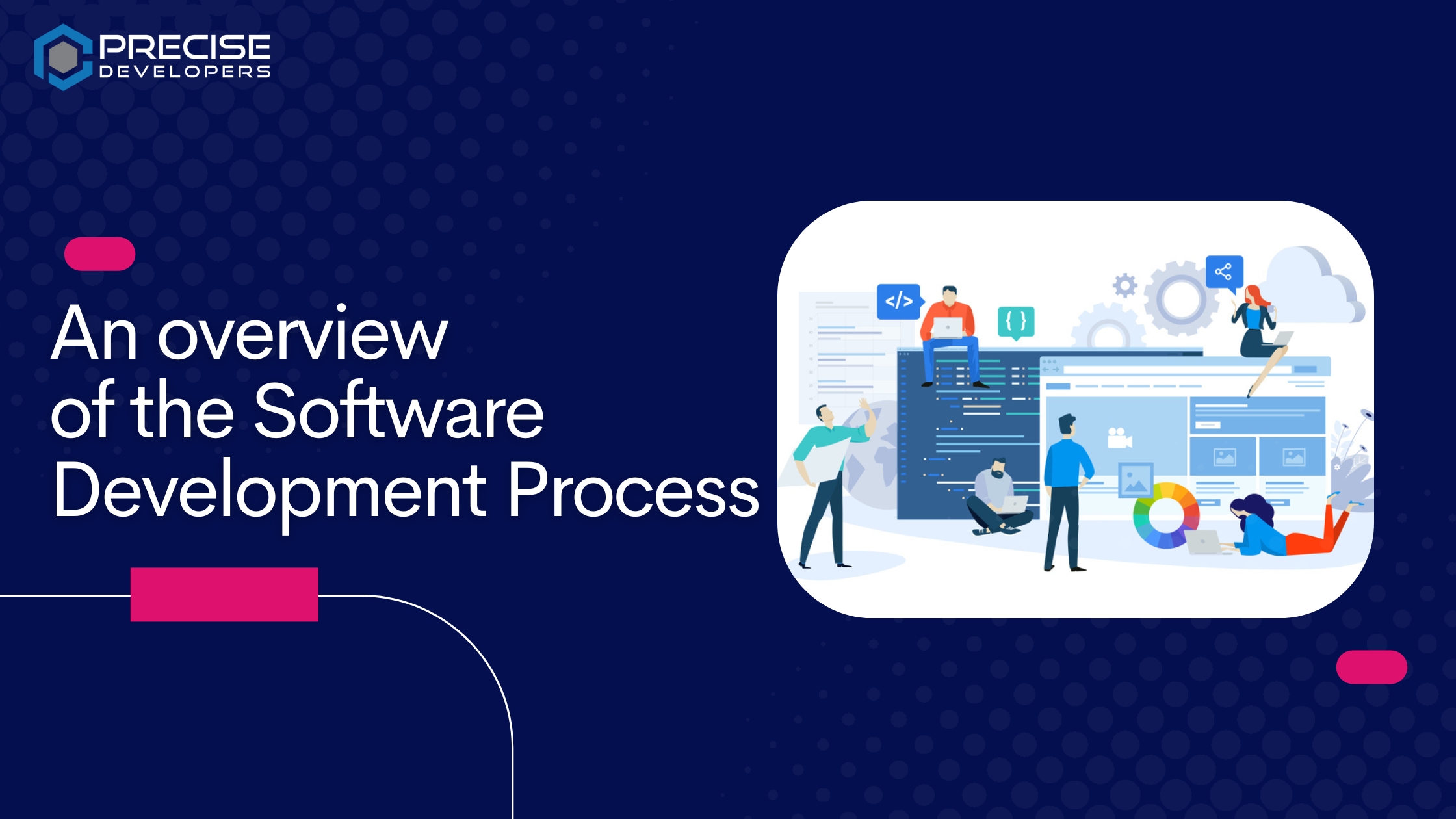
Welcome to our blog on the software development process! In this post, we’ll be taking a high-level look at the steps that are typically followed when creating a software product. Whether you’re a software developer or just interested in the field, understanding the software development process can be helpful in understanding how software is created and how it evolves over time. The software development process is the series of steps that a team follows to create a software product. While every organization has its own specific process, there are some common stages that are followed in most software development projects. These stages include planning, design, testing, and deployment. Planning: This is the first stage of the software development process, where the project goals and objectives are defined. The team works with the client to gather requirements and define the scope of the project. A project plan is created that outlines the timeline, budget, and resources needed for the project. Design: In this stage, the team works on designing the architecture and user interface of the software. They create wireframes and prototypes to visualize how the software will look and function. The design stage also includes developing a database schema and choosing the technologies that will be used to build the software. Testing: Once the software has been developed, it goes through a thorough testing process to ensure that it is free of bugs and defects. There are different types of testing that can be performed, including unit testing, integration testing, and acceptance testing. The goal of testing is to identify and fix any issues before the software is released to the public. Deployment: After the software has been thoroughly tested and any issues have been resolved, it is ready to be deployed. This typically involves installing the software on servers or hosting it in the cloud and then making it available to users. The deployment process may also include creating documentation and providing training to users on how to use the software. This is just a high-level overview of the software development process. There are many other tasks and activities that may be involved depending on the specific project and team. However, these four stages – planning, design, testing, and deployment – are common to most software development projects. You may also like to see: Laravel Tips & Tricks for Carbon and Time and How to Build real-time applications with Node.js and WebSockets? Here are Live examples to illustrate each stage of the software development process: Planning: Design: Testing: Deployment: I hope these examples help to illustrate the stages of the software development process. Keep in mind that these are just a few examples and the specific tasks and activities involved in each stage can vary greatly depending on the project and team. If you like this post let us know what would you want us to post next in the comment section also help this post reach more and more people via our social media accounts on Instagram, Facebook, Twitter, and LinkedIn.

In the past few years, we have seen an explosion in the use and adoption of blockchain technology. But what exactly is blockchain and why is it causing such a stir? A blockchain is distributed across a network of computers which means that it allows for increased security and transparency as each transaction is verified by multiple computers on the network. This means that the record cannot be altered retroactively without the alteration of all subsequent blocks and the consensus of the network. In other words, it is a secure and transparent way to store and transfer data and value. One of the key advantages of blockchain technology is that it allows for secure peer-to-peer transactions without the need for a central authority or third-party intermediary. This has the potential to disrupt and revolutionize a wide range of industries, including finance, banking, and supply chain management. In addition to its other features, blockchain also has the ability to facilitate smart contracts. These are self-executing contracts in which the terms of the agreement between buyer and seller are written directly into lines of code. This has the potential to streamline and automate many business processes, reducing the risk of fraud and increasing efficiency. The rise of blockchain technology has the potential to significantly change the way we do business and interact with each other. As more and more people become aware of and adopt blockchain, it is likely to play an increasingly important role in shaping the future of the global economy. If you like this post and found it informational then follow us on our social media accounts on Instagram, Facebook, LinkedIn, and Twitter and share your experience with us and your colleagues. You may also like to see: OpenAI new and improved embedding model

Laravel Tips Carbon is a popular PHP library for working with dates and times in PHP. It provides a simple and intuitive interface for various operations on dates and times, such as calculating differences between dates, adding or subtracting time units from dates, and formatting dates for display. Laravel, one of the most popular PHP web development frameworks, includes Carbon as a dependency, making it easy to use Carbon in your Laravel applications. 2. Use the now method to get the current date and time: 3. Use the parse method to create a Carbon instance from a string: 4. Use the createFromFormat method to create a Carbon instance from a custom date format: 5. Use the diffInDays, diffInWeeks, diffInMonths, and diffInYears methods to get the difference between two dates in various units of time: 6. Use the addDays, addWeeks, addMonths, and addYears methods to add or subtract a specific unit of time from a date: Follow our Trending Instagram Page for Laravel Tips with 8K+ Followers: https://www.instagram.com/laravel.tips In conclusion, Carbon is a valuable tool for working with dates and times in your Laravel applications. Its simple and intuitive interface makes it easy to perform various operations on dates and times, such as calculating differences, adding or subtracting time units, and formatting dates for display. Using Carbon in your Laravel app, you can quickly and easily manage and manipulate dates and times, helping you build robust and efficient applications. You may also like: Getting Started with Laravel Sanctum: A Guide to Building Secure Applications & What are the new features in laravel 10? If you like this post let us know what would you want us to post next in the comment section also help this post reach more and more people via our social media accounts on Instagram, Facebook, Twitter, and LinkedIn.

OpenAI has announced a new embedding model which is more capable, cost-effective, and simpler to use than its previous model. The new model, text-embedding-ada-002, replaces five separate models for text search, text similarity, and code search, and outperforms Davinci, their previous most capable model, at most tasks. The new model is priced 99.8% lower than Davinci. Since the inception of the OpenAI /embeddings endpoint, many applications have started to use numerical representations of concepts, known as embeddings, to personalize, recommend, and search for content. Embeddings make it easy for computers to understand relationships between different concepts, which has led to their widespread use in a variety of applications. You can get embeddings for the new model using just two lines of code with the OpenAI Python Library, just like you could with previous models: Model Improvements 1) Stronger performance text-embedding-ada-002 outperforms all the old embedding models on text search, code search, and sentence similarity tasks. It also gets comparable performance on text classification. For each task category, OpenAI evaluates the models on the datasets used in old embeddings. 2) Unification of capabilities OpenAI has merged five separate models (text-similarity, text-search-query, text-search-doc, code-search-text, and code-search-code) into a single new model, making the /embeddings endpoint much simpler to use. This new model outperforms the previous embedding models on a variety of text search, sentence similarity, and code search benchmarks. 3) Longer context The new model has a context length of 8192, which is four times longer than the previous model. This makes it more convenient to work with long documents. 4) Smaller embedding size The new embeddings have 1536 dimensions, which is one-eighth the size of davinci-001 embeddings. This makes the new embeddings more cost-effective when working with vector databases. 5) Reduced price OpenAI has slashed the price of its new embedding models by a whopping 90% in comparison to its old models of the same size. The new model performs just as well, if not better, than the old Davinci models but at less than one percent of the price. The new embedding model is a big step forward for natural language processing and code tasks. It’ll be exciting to see how customers use it to create even more powerful applications in their respective fields. Limitations The new text-embedding-ada-002 model isn’t outperforming text-similarity-davinci-001 on the SentEval linear probing classification benchmark. If you need to train a light-weighted linear layer on top of embedding vectors for classification prediction, they suggest comparing the new model to text-similarity-davinci-001 and choosing whichever model gives optimal performance. Examples of Embeddings APIs KelendarAI It’s a sales outreach product that uses embeddings to match the right sales pitch to the right customers. It does this by looking at customer profiles and sale pitches and then finding the most suitable matches. This process can eliminate 40-56% of unwanted targeting. Notion It’s an online workspace company, that will use OpenAI’s new word embeddings to improve Notion search beyond today’s keyword matching systems. This will help users find the right Notion workspace for their needs more easily and quickly. If you like this post let us know what would you want us to post next in the comment section also help this post reach more and more people via our social media accounts on Instagram, Facebook, Twitter, and LinkedIn. You also like to see: Getting Started with Laravel Sanctum: A Guide to Building Secure Applications
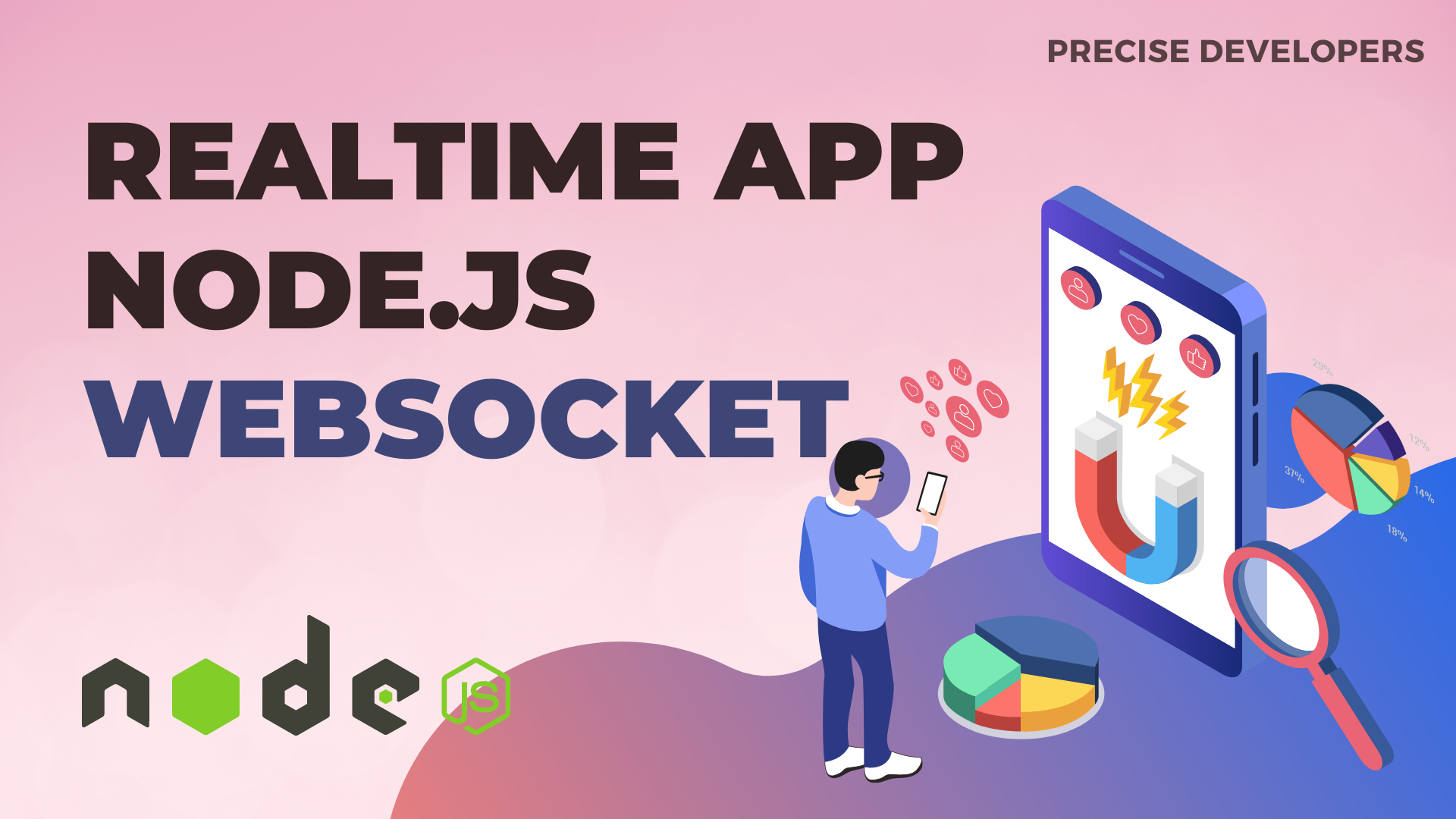
Real-time applications are web-based applications that allow for bidirectional communication between the client and the server. This means that the server can send data to the client in real-time, and the client can also send data to the server in real-time. Real-time applications are useful for a variety of purposes, such as online chat applications, real-time collaboration tools, and live updates on social media or news websites. One way to build real-time applications is by using Node.js and WebSockets. Node.js is a popular open-source JavaScript runtime environment that is designed for building scalable network applications. It uses an event-driven, non-blocking I/O model, which makes it well-suited for real-time applications that require high performance and low latency. WebSockets is a protocol that allows for full-duplex communication over a single TCP connection. This means that both the client and the server can send data to each other simultaneously, without the need for HTTP requests and responses. WebSockets are useful for building real-time applications because they allow for efficient communication between the client and the server, with low latency and minimal overhead. To get started with building a real-time application using Node.js and WebSockets, you’ll need to set up a Node.js server. You can do this by installing Node.js on your machine and creating a primary server using the http module. Once you have a Node.js server up and running, you’ll need to install the ws module, which is a WebSockets module for Node.js. To establish a WebSocket connection, you’ll need to create a WebSocket server on the Node.js side and a WebSocket client on the client side. On the Node.js side, you can create a WebSocket server using the ws a module like this: const WebSocket = require(‘ws’); const wss = new WebSocket.Server({ port: 8080 }); On the client side, you can create a WebSocket client using JavaScript like this: const socket = new WebSocket(‘ws://localhost:8080’); Once you have a WebSocket connection established, you can send and receive data in real-time using the send and onmessage methods. On the Node.js side, you can use the send method to send data to the client like this: wss.on(‘connection’, function connection(ws) { ws.send(‘Hello, client!’); }); On the client side, you can use the onmessage event to receive data from the server like this: You may also like: Laravel vs Codeigniter, Which is the best in 2023? socket.onmessage = function(event) { console.log(event.data); } There are many different types of real-time applications that you can build using Node.js and WebSockets. Some examples include online chat applications, real-time collaboration tools, and live updates on social media or news websites. When building a real-time application using Node.js and WebSockets, it’s important to consider performance, error handling, and security. To optimize performance, you may consider using a load balancer to distribute incoming connections across multiple servers and a tool like PM2 to manage your Node.js processes. Here are Best 10 Tips Best practices for remote work and maintaining productivity

Laravel Sanctum is a lightweight authentication system for single-page applications, mobile applications, and traditional web applications. It provides a simple and seamless authentication experience for developers and users alike, making it easy to build modern and secure applications with Laravel. Here are some key features of Laravel Sanctum: Let’s see it in detail One of the key features of Sanctum is its ability to authenticate multiple devices for a single user. This means that a user can be logged in on multiple devices simultaneously, and each device will have its own unique access token. This is particularly useful for applications where the user may need to switch between devices, such as a mobile application and a web application. In addition to supporting multiple devices, Sanctum also makes it easy to authenticate external services and APIs. This is useful for applications that need to authenticate third-party services, such as a backend service or an external API. To use Sanctum, you’ll need to install the Laravel framework on your server and configure your application to use the Sanctum package. This process is relatively straightforward, and the Laravel documentation provides detailed instructions on how to set up Sanctum for your application. Once you have Sanctum installed and configured, you’ll need to create routes and controllers for your authentication flows. This will typically involve creating routes for logging in, logging out, and retrieving the authenticated user’s information. You can also use Sanctum to handle password resets and other authentication-related tasks. One of the benefits of using Sanctum is its integration with Laravel’s built-in authentication system. This means that you can use Sanctum to handle your application’s authentication flows, while still taking advantage of Laravel’s built-in features, such as user roles and permissions. Overall, Laravel Sanctum is a powerful and easy-to-use tool for building modern, secure, and scalable authentication systems. Whether you’re building a single-page application, a mobile application, or a traditional web application, Sanctum is an excellent choice for managing your application’s authentication flows. You may also like What are the new features in laravel 10? If you like this post then you may also like to share the same with your colleagues. Let us know your thoughts on our blogs and on social media posts on Instagram, Facebook, LinkedIn, and Twitter.

Have you ever wanted to have a conversation with a computer that feels like you’re talking to a real person? If so, you may be interested in ChatGPT. One of the most impressive things about ChatGPT is its ability to understand and respond to context. This means that it can carry on a conversation with you even if you switch topics or ask it a question that’s unrelated to the previous conversation. This is made possible by the use of pre-trained language models, which give ChatGPT a large amount of knowledge about the structure and meaning of language. In addition to being able to carry on a conversation, Chat GPT can also be used to generate text for other purposes. For example, it could be used to generate descriptions of products or services or to create content for social media posts or blog articles. If you want to create a program in PHP, Laravel, or any other programming language, you simply ask ChatGPT, “Can you write a PHP program for me to calculate time according to timezone?” While Chat GPT is an impressive tool, it’s important to keep in mind that it’s not a replacement for human interaction. It’s a tool that can assist with tasks that involve language processing, but it’s not capable of fully replicating the complexity and nuance of human thought and communication. Do you know Laravel vs Codeigniter, Which is the best in 2023? Overall, Chat GPT is a powerful and useful tool that can help you communicate with computers in a more natural and human-like way. If you’re interested in using it for your own projects or just want to have a conversation with a computer, give Chat GPT a try and see what it can do. If you like this post then you may also like to share the same with your colleagues. Let us know your thoughts on our blogs and on social media posts on Instagram, Facebook, LinkedIn, and Twitter.
As we enter the new year of 2023, developers and business owners alike will be looking for the best solutions for their web development needs. In this article, we’ll be taking a look at two popular frameworks – Laravel vs CodeIgniter – to help you make an informed decision about which one is best suited for your project. We’ll compare the features and benefits of each framework, as well as how they stack up against each other in terms of ease of use and scalability. Stay tuned to find out which framework comes out on top! Introduction to Laravel and Codeigniter Laravel and Codeigniter are two popular PHP frameworks. They both have their own pros and cons, so it can be hard to decide which one to use for your project. In this article, we’ll compare Laravel and Codeigniter so you can make an informed decision about which framework is right for you. Laravel is a newer framework than Codeigniter, but it has already gained a lot of popularity thanks to its clean code base and robust feature set. Laravel comes with a built-in ORM (object-relational mapping) system called Eloquent, making it easy to work with database data. It also has excellent documentation and a large community of developers who can help you if you get stuck. Codeigniter is an older framework, but it’s still widely used thanks to its lightweight footprint and simple learning curve. Codeigniter doesn’t have as many built-in features as Laravel, but it’s easy to extend with custom libraries and modules. It also has great performance out of the box, making it a good choice for projects that need to run quickly and smoothly. So, which is the best PHP framework? That depends on your needs. If you’re looking for a modern framework with lots of features, Laravel is a great choice. If you need something lightweight and fast, Codeigniter is worth considering. Ultimately, the best way to decide is by trying out both frameworks and seeing which one Pros and Cons of each framework : Laravel vs Codeigniter When it comes to choosing a PHP framework for web development, there are many options available. However, two of the most popular choices are Laravel and Codeigniter. So, which one is the best? Laravel: Pros: 👍 Cons: 👎 Codeigniter: Pros: 👍 Cons: 👎 Check What are the new features in laravel 10? Which is the best choice for your project? There are a few things to consider when choosing between Laravel and Codeigniter for your project. Here are some key points to help you make the best decision: Conclusion Ultimately, Laravel and Codeigniter are both great frameworks that can be used to build powerful web applications. It depends on the project’s specific needs and which framework best suits those requirements. If you need a robust, easy-to-use framework with lots of features, then Laravel would be your best choice. On the other hand, if you need something lightweight but still dependable for projects with limited scope or resources, Codeigniter is probably a better fit for you. The decision ultimately comes down to your individual preferences and project requirements. Our Personal choice is strongly Laravel Only 🙂 If you like this post then you may also like to share the same with your colleagues. Let us know your thoughts on our blogs and on social media posts on Instagram, Facebook, LinkedIn, and Twitter.

Laravel 10 is scheduled to be released on February 7, 2023. Although its development is still ongoing, we already know about some of the new features that will be included. Let’s take a look at each one. When will Laravel 10 be released? Laravel 10 is scheduled to be released on February 7, 2023. However, this doesn’t mean that you have to update all of your projects right away. The framework last had LTS (Long-Term Support) in version 6, but each major version has two years of updates. This should give you enough time to get your codebase in check and upgrade it before Laravel 10 is no longer supported. Laravel 9 will receive bug fixes until August 23, 2023, and security fixes until February 6, 2024. Laravel Version Supported PHP Release Date Bug Fixes until Security fixes until 8 7.3 – 8.1 September 8th, 2020 July 26th, 2022 January 24th, 2023 9 8.0 – 8.1 February 8th, 2022 August 8, 2023 February 6th, 2024 10 8.1 February 7th, 2023 August 6th, 2024 February 4th, 2025 11 8.2 February 6th, 2024 August 5th, 2025 February 3rd, 2026 officially declared by Laravel Let’s see, What the features and changes coming with Laravel 10 Dropped support for PHP 8.0 There are two things you need to do if you want to upgrade your Laravel project to the latest version: Either move to PHP 8.1 Or PHP 8.2 But remember: it’s not necessary to update your Laravel apps to the newest version as soon as they’re released. Especially if you have projects with paid clients or employees who depend on them to do their work. It’s best to take your time and move forward slowly but surely, doing extensive testing along the way. Don’t rush things. Invokable Validation rules are the default Starting in Laravel 10, invokable validation rules are now the default. When you create a new validation rule via artisan, this is what you can expect: dispatchNow() is now officially removed dispatchNow() is a popular method in Laravel. It was deprecated in Laravel 9 in favor of dispatchSync(). Laravel 10 will remove it, so be sure to search for and replace it in all of your projects. It may be a breaking change, but it’s an extremely easy fix. See the pull request here: [10.x] Remove deprecated dispatchNow functionality #42591 Many deprecated methods and properties have been removed Releasing a major version also means the Laravel team can finally remove features that have been deprecated in Laravel 9. This also suggests that you should carefully test any Laravel application you might want to migrate to version 10, in order to avoid any compatibility issues. Here’s a list of all PRs taking care of that: The Laravel 10 skeleton uses native types instead of docblocks Starting with Laravel 10, the skeleton will now use DocBlocks instead of native types. This Pull Request is a massive undertaking and is still a work in progress because it needs to be completed for the whole Laravel organization. For example, in the Laravel skeleton, the schedule() method in app/Console/Kernel.php will look like this: Migrate your Laravel project easily, let’s connect

What you Learn, MySQL Follow Our Laravel.Tips account on Instagram to get advanced tips on Laravel.